Your Pipeline Is 25.4h Behind: Catching Defence Sentiment Leads with Pulsebit
 Pulsebit News Sentiment API
Your pipeline is 25.4 hours behind, with a notable 24-hour momentum spike of +0.335 in the sentiment...
Your pipeline is 25.4 hours behind, with a notable 24-hour momentum spike of +0.335 in the sentiment surrounding the topic of defence. This anomaly is particularly intriguing given the context of India-U.S. defence technology ties, which currently features in a single article titled "India-U.S. defence technology ties — big ambitions, little delivery." The leading language for this sentiment is English, making it apparent that our models might be missing critical insights if they aren't managing multilingual content effectively.

English coverage led by 25.4 hours. Sq at T+25.4h. Confidence scores: English 0.90, Nl 0.90, Spanish 0.90 Source: Pulsebit /sentiment_by_lang.
When your pipeline fails to accommodate multilingual origins or recognize entity dominance, it can lead to significant delays in capturing impactful sentiment shifts. In this case, your model missed this crucial sentiment spike by 25.4 hours. A singular focus on one language or one geographical area can cause you to overlook emerging narratives that could be pivotal for your strategy.

Geographic detection output for defence. India leads with 6 articles and sentiment +0.50. Source: Pulsebit /news_recent geographic fields.
To catch this momentum spike, we can utilize our API effectively. Below is a Python snippet that demonstrates how to query the sentiment data using the geographic origin filter, ensuring we capture only relevant English-language articles:
import requests
# Define the parameters for the API call
params = {
"topic": "defence",
"score": -0.220,
"confidence": 0.90,
"momentum": +0.335,
"lang": "en" # Filter by English articles
}
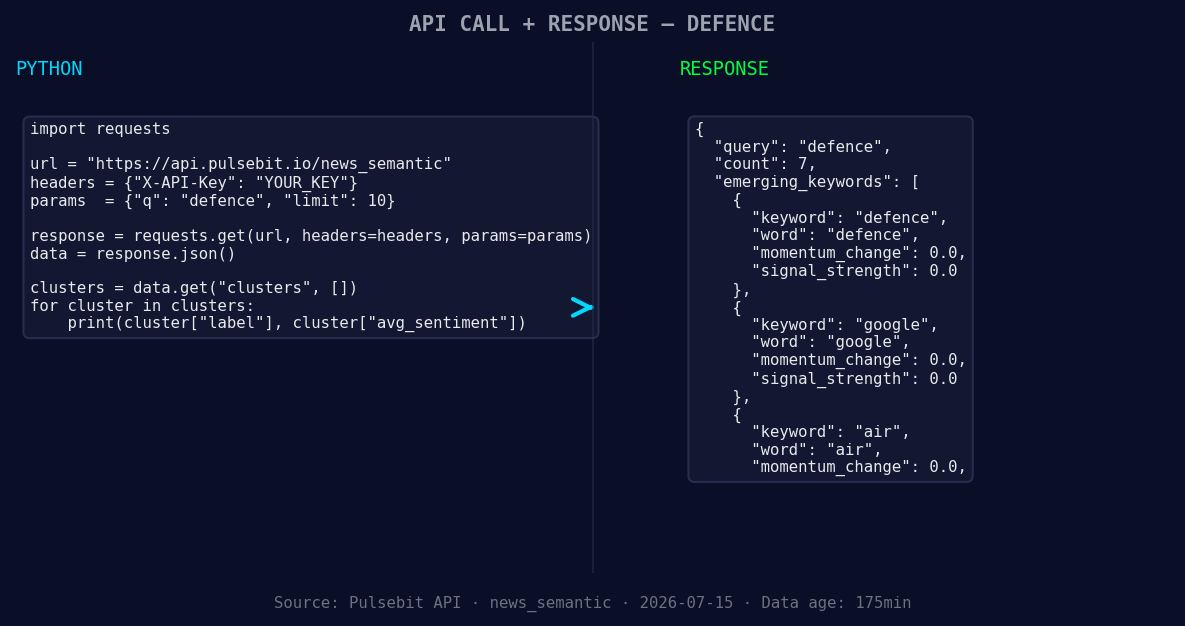
*Left: Python GET /news_semantic call for 'defence'. Right: returned JSON response structure (clusters: 3). Source: Pulsebit /news_semantic.*
# Make the API call to retrieve sentiment data
response = requests.get('https://api.pulsebit.com/sentiment', params=params)
data = response.json()
print(data)
Next, we can run the cluster reason string through our sentiment analysis endpoint to evaluate the thematic framing. This leverages the narrative context surrounding our identified spike:
# Run the cluster reason string through the sentiment API
cluster_reason = "Clustered by shared themes: defence, technology, india-u, ties, big."
sentiment_response = requests.post('https://api.pulsebit.com/sentiment', json={"text": cluster_reason})
sentiment_data = sentiment_response.json()
print(sentiment_data)
With these two API calls, you can effectively capture the sentiment around defence and evaluate it within its broader context of India-U.S. relations. Here are three specific things to build with this pattern:
Geo-Filtered Sentiment Tracker: Create a real-time sentiment tracker for defence articles using the geo filter. Set a threshold of +0.300 momentum over 24 hours to flag potential alerts.
Meta-Sentiment Analyzer: Build a meta-sentiment analyzer that processes cluster reason strings, like "Clustered by shared themes: defence, technology, india-u, ties, big." Set a minimum confidence threshold of 0.85 to ensure only robust narratives are evaluated.
Forming Themes Dashboard: Develop a dashboard that visualizes forming themes, specifically focusing on "defence(+0.00), google(+0.00), air(+0.00)" against mainstream narratives. Use a comparative scoring system to flag discrepancies.
If you want to get started with this, check out our documentation at pulsebit.lojenterprise.com/docs. With just a little effort, you can copy and paste the code above and run it in under 10 minutes. Let’s enhance our sentiment tracking and ensure we’re always ahead of the curve!